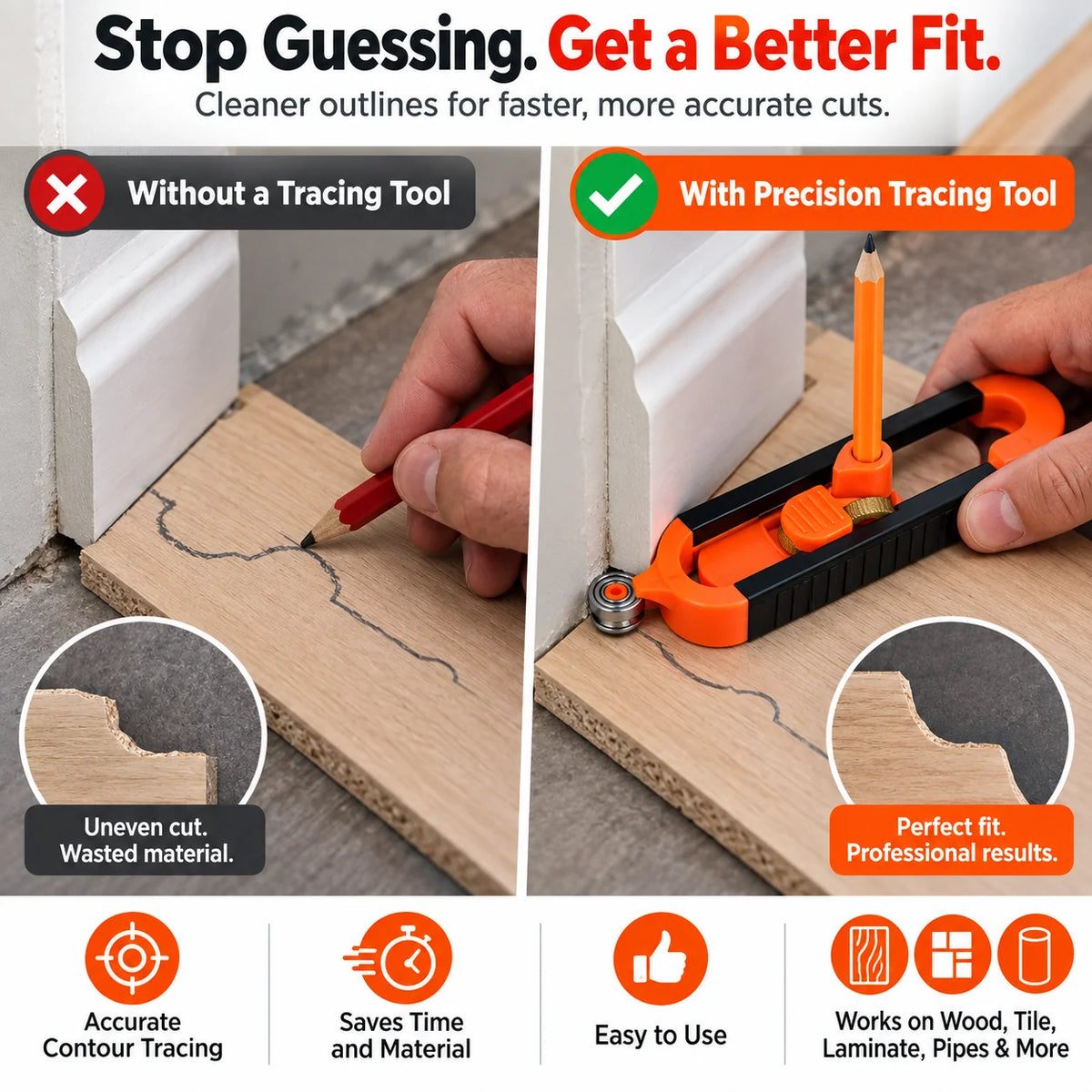
Trace Instead of Guess
Follow the actual edge and transfer its profile rather than estimating complicated curves by eye.
Couldn't load pickup availability
-
Ordered
- - -
Order Ready
- - -
Delivered

TraceMaster™ follows curves, corners and irregular profiles so you can transfer the shape directly to your material— helping you mark cleaner cut lines before the saw ever starts.
Precision Tracing • Adjustable Width • Dual-Tip Control

Pipes, trim, rounded corners and uneven profiles are where ordinary rulers stop being useful. TraceMaster™ lets the edge guide your pencil so the shape on your material more closely follows the shape you're trying to fit around.
Follow the actual edge and transfer its profile rather than estimating complicated curves by eye.
Keep the pencil aligned while the tracing end follows the surface for more controlled marking.
A clearer outline gives you a better reference before trimming flooring, panels, tile or woodworking material.
The adjustable body combines a center pencil holder, sliding width control and two different tracing ends so you can adapt the tool to the edge in front of you.

Designed to roll smoothly along broader edges, curves and profiles while guiding your mark.
Reach tighter corners and detailed areas where a larger tracing surface may not fit as easily.
Holds a standard pencil in position while the tool follows the reference edge.
Change the tracing width to suit different offsets, materials and project shapes.
Smooth curves and tight corners don't behave the same. TraceMaster™ gives you two tracing ends so you can choose the contact point that better suits the job.

Let the roller travel along the reference surface while the pencil transfers the profile to your workpiece.
Use the pointed end where the tracing path calls for more concentrated contact around smaller details.

Place a standard pencil into the center holder so it sits securely for marking.
Slide the body to the required offset and secure the position before tracing.
Move the selected tracing end along the reference surface while the pencil copies the profile.
Freehand estimating around irregular profiles can leave oversized gaps or force extra trimming. Trace the reference shape first and give yourself a clearer line to work from.

| Project Need | TraceMaster™ | Freehand Marking |
|---|---|---|
| Irregular contours | Follows the reference edge | Relies on estimation |
| Curved profiles | Roller tracing option | Harder to reproduce consistently |
| Tight corners | Pointed detail tip | May require repeated marking |
| Adjustable offset | Sliding width adjustment | Manual measurement required |
| Repeatability | More controlled reference | Depends heavily on hand marking |
Use it wherever a straight ruler can't accurately capture the profile you need to transfer.

Switch between roller-style tracing and a pointed detail tip.
Set the tool for different offsets and project requirements.
Keeps the marking point aligned within the adjustable body.
Easy to keep close by in your toolbox or project kit.
Useful for flooring, tile, trim, pipes and woodworking profiles.
Gives you a traced outline to follow before making the cut.